
OneBlinc - Financial tools
OneBlincFinance
4.6671.00 Reviews
- Version
- 7.12.0
- Installs
- 100.00K
- Age Rating
- Everyone
Screenshots
Our Review of OneBlinc - Financial tools
 Analysis by Appyee
When an unexpected bill lands between paydays, the problem is often timing rather than income. OneBlinc is a finance app from OneBlinc built around that gap, letting eligible users access wages through a linked account. I found its appeal easy to understand: it focuses on a narrow, urgent task instead of trying to become a complete banking replacement. That makes it potentially useful when a small cash-flow problem needs attention quickly, but it also means you should look closely at your own repayment habits before treating it as a regular solution.
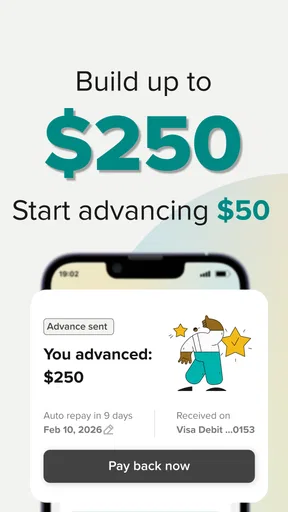
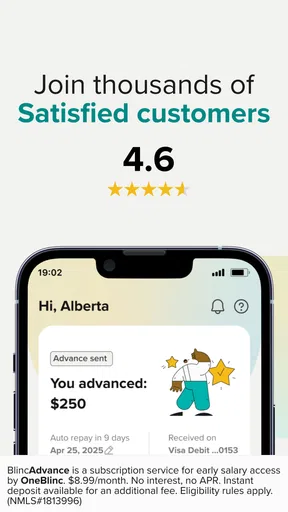
The app is free to install and is rated for Everyone, which makes the basic experience approachable for a broad audience. Its store summary says users can access up to 250 dollars directly to a linked account. That wording is important: this is not a promise that every person will receive the maximum amount, and it is not the same thing as having unrestricted money available whenever you want. I would approach it as a short-term financial tool whose usefulness depends on eligibility, account connection, timing and your ability to manage the next pay cycle.
How OneBlinc feels in everyday use
I find the everyday appeal here less about doing more with money and more about making one particular decision easier to handle: whether moving wages forward can solve a short-lived timing problem. Before relying on it, I’d make a quiet moment—not a bill deadline—the time to review the linked account and the amount being considered. That small change in when you use the app can make the choice feel much less pressured.
Speed expectations: useful when timing matters
The strongest reason to try OneBlinc is the way it targets a specific moment: you need access to wages before your normal payday. Compared with calling a bank, applying for a traditional personal loan or relying on an overdraft, an app-based process can feel much more direct. I like that the central idea is easy to understand. You connect the account involved in your finances, review what is available to you and decide whether the advance fits your situation.
Still, “fast” should not be interpreted as “instant under every circumstance.” A financial app has to work with linked-account information and transfer timing, so the practical experience can depend on whether your account connects cleanly and whether the receiving account is ready to accept the funds. I would not open the app for the first time five minutes before a payment deadline and assume the entire process will be completed without friction. It is wiser to set things up while your finances are calm, then use the tool only when the need actually appears.
One useful habit is to treat the first session as preparation rather than an emergency rescue. Install the app, read each screen carefully, connect the account you genuinely use for wages and check the destination before requesting anything. That small amount of planning can prevent the most frustrating kind of delay: discovering during an urgent moment that the wrong account is linked or that you need to review information you skipped earlier.
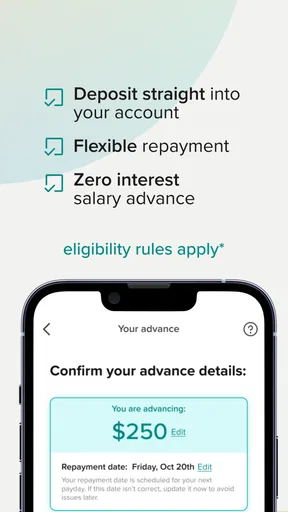
The amount shown in the app should also shape your expectations. The advertised ceiling is not a personal entitlement, and borrowing the maximum simply because it appears available can turn a temporary shortage into a larger problem at the next payday. My advice is to request only what solves the immediate expense. If a smaller amount covers the need, the smaller amount is usually the more sensible choice.
Heavy-use moments: where careful reading matters most
OneBlinc is most likely to be opened during stressful situations: an overdue utility bill, a necessary trip, groceries before payday or a payment that cannot wait. In those moments, people tend to skim. That is exactly when I would slow down and inspect the amount, the linked account and the repayment details shown in the app. The convenience is valuable, but convenience can encourage decisions based on urgency rather than affordability.
A realistic example is a worker who has enough income arriving soon but is short today because a routine expense was higher than expected. The app may offer a bridge, allowing that person to handle the immediate cost without using a credit card or asking someone else for help. The bridge only works, however, if the next payday can absorb the repayment without forcing another advance. I would write down the upcoming income, fixed bills and the requested amount before confirming. If the numbers leave no breathing room, a different solution is safer.
Another practical use is separating a genuine one-off timing issue from a repeating shortage. If the same user needs an advance every pay period for rent, food or transportation, the app is no longer solving an isolated gap; it is becoming part of a cycle. That is a warning sign, not a criticism of the interface. In that situation, a budget review, a conversation with the bill provider or a longer-term financial product may be more appropriate than repeatedly moving wages forward.
I also recommend avoiding casual requests for nonessential purchases. An early wage-access tool makes a want feel affordable because the money is close at hand, but the future paycheck is already spoken for. OneBlinc makes more sense for a necessary, time-sensitive expense than for shopping, entertainment or an impulse purchase.
Reliability: the account connection is part of the experience
Financial reliability is more than whether an app opens smoothly. The important question is whether the information you see is clear enough to support a safe decision and whether the linked-account process behaves predictably. OneBlinc’s purpose depends on that connection, so I would judge the app as a complete workflow rather than just a polished screen.
Before using it, make sure the linked account is the one associated with the wages you expect to receive. A secondary account, an old account or an account with unusual deposit timing can create confusion even when the app itself is functioning normally. This is one of the less obvious trade-offs of wage-access tools: the app may be simple, but the financial relationships behind it are not always simple.
If something appears delayed, I would avoid immediately submitting another request. First check the status shown in the app, confirm the destination account and review whether the original request is still pending. Repeating an action because you cannot see the result clearly can make a stressful situation worse. Keeping screenshots or notes of the confirmation details is also sensible for any financial transaction, especially when you are working against a deadline.
The app has a current version of 7.12.0, which suggests it is an actively maintained product rather than an abandoned utility. I would still keep the app updated through the normal app-store process, because finance tools benefit from current compatibility and security fixes. An update does not guarantee that every transfer will be smooth, but using an outdated build adds an avoidable variable when money is involved.
Its public reception is encouraging without being a reason to switch off your own judgment. OneBlinc has a 4.6 average from around 4.8 thousand ratings, along with hundreds of written reviews, and it has passed 100 thousand installs. Those signals indicate that many people find the app useful, but ratings cannot tell you whether your employer, account setup or personal cash flow will fit the service. I see them as evidence of interest and general satisfaction, not as a substitute for reading the terms presented during your own request.
Device constraints: a modest technical footprint is still important
OneBlinc supports Android starting with version 7.0, so people using older compatible devices may still be able to access it. That is helpful for users who do not replace their phones frequently. At the same time, an older operating system can bring practical limitations: slower app launches, less available storage, weaker background behavior or compatibility issues that are not visible on a newer phone.
I would not expect a finance app centered on account access and wage requests to be a heavy entertainment-style application, but I also would not assume that every device will feel equally responsive. If the phone is already struggling with other apps, has almost no free storage or frequently drops its internet connection, the bottleneck may be the device rather than OneBlinc. Closing unused apps, updating the operating system when possible and using a stable connection are basic steps worth taking before blaming the service for a slow session.
There is another device-related consideration that is easy to overlook: shared phones. Because this app concerns wages and linked accounts, I would avoid using it on a phone that other people can casually unlock. Use your own screen lock, do not leave financial screens open and review where confirmation messages appear. These are sensible precautions for any money app, but they matter especially when the purpose is to move earned income.
People who depend on an older phone should also plan a backup way to handle an urgent payment. That does not mean OneBlinc is unreliable; it means no app should be the only plan when a device, connection or account link can fail. A little preparation reduces the pressure to make repeated requests or accept an amount that is larger than necessary.
What I would compare before choosing it
The usual alternatives each solve a different part of the same problem. A credit card may offer more flexibility, but it can encourage revolving debt and interest. An overdraft can be convenient through an existing bank, yet fees and account rules may make it expensive. A traditional personal loan is better suited to a larger planned expense, but it is usually excessive for a small gap between paydays. Asking an employer about payroll timing or requesting a bill extension may be slower or less comfortable, but those options can avoid taking future wages away from the next pay cycle.
Against those choices, OneBlinc’s advantage is focus. It is designed around access to wages through a linked account, not around long-term borrowing or broad banking features. That makes it a better fit for a short, clearly defined timing problem than for debt consolidation, a major purchase or an ongoing income shortfall. If I needed a larger amount with a structured repayment plan, I would compare personal-loan options instead. If I only needed to move a payday-related amount forward and could comfortably handle the next cycle, this app would be nearer the top of my list.
The free price is another practical advantage at the installation stage, but “free” should not be read as “cost-free in every possible use.” I would inspect all of the terms and any amounts displayed before confirming a transaction. Financial products can involve conditions that matter more than the download price, and the safest decision comes from understanding the complete request screen rather than relying on a short description.
Who should use it, and who should skip it
I think OneBlinc is worth considering for someone with regular wages who occasionally faces a short-lived timing mismatch. It may also suit a person who prefers handling a small financial request privately through a phone instead of using an overdraft or asking family for help. The app’s narrow purpose can be a strength when you know exactly why you need the money and when the next payday can comfortably cover the adjustment.
I would be more cautious if your income changes sharply from pay period to pay period, if your wages do not arrive through the account you plan to link or if you already rely on advances to cover essentials. It is also not the right first choice for someone seeking a long-term budget solution. Moving wages earlier does not increase total income; it changes the timing. That distinction should be clear before installation.
People who dislike linking financial accounts may reasonably prefer to speak with their bank or employer instead. Likewise, anyone using an unsupported older operating system will need another route. Even on a compatible phone, I would skip the app if I could not verify the linked account carefully or if the next pay cycle was already committed to rent, utilities and other necessities.
Performance verdict: convenient, but best used with discipline
My overall view is positive but deliberately measured. OneBlinc addresses a real and common problem with a focused finance experience, and its free entry point, broad age rating and support for Android 7.0 make it accessible to many users. The strong average rating and growing install base reinforce the impression that it has found an audience.
The important limitation is not whether the app looks convenient; it is whether early access to wages improves your situation or merely postpones the same pressure. I would prepare the account connection before an emergency, request the smallest useful amount and confirm that the following payday remains workable. Those three habits make a meaningful difference.
For a one-off cash-flow gap, I can see myself recommending OneBlinc to a friend, with the warning to read every confirmation screen and avoid treating it like extra income. For recurring shortages, large expenses or uncertain repayment, I would point that friend toward a broader financial solution instead. In short, this is a practical tool for managing timing, not a replacement for a budget, an emergency fund or a sustainable income plan.
OneBlinc is therefore at its best when the situation is specific, the amount is modest and the repayment is already understood. Used that way, it can reduce the friction of an awkward week. Used automatically every payday, it may hide the underlying problem. The smartest feature is the restraint you bring to the request.
Verdict
Strengths of OneBlinc - Financial tools
- Builds credit history through eligible reporting features.
- Flexible repayment options can help manage short-term cash flow.
- Useful budgeting tools provide a clearer view of upcoming expenses.
- Application process is handled conveniently from a mobile device.
- May offer financial education resources for improving money habits.
Limitations of OneBlinc - Financial tools
- Availability and terms may vary by state, eligibility, and account history.
- Some features may require recurring membership or service fees.
- Credit-building benefits depend on timely payments and reported activity.
- Borrowing limits may be modest, especially for new users.
- Late payments could lead to fees and potentially harm your credit.
Similar Picks in This Category
View All
Google Wallet
Google LLC4.3

Airtel: Recharge, Bank & Loans
Airtel4.0

PayPal - Pay, Send, Save
PayPal Mobile4.2

DANA Indonesia Digital Wallet
PT Espay Debit Indonesia Koe4.5

Binance: Buy Bitcoin & Crypto
Binance Inc.4.8

Cash App
Block, Inc.4.7
Frequently Asked Questions
What is OneBlinc, and what financial tools does it offer?
OneBlinc is a financial services app designed to give eligible users access to tools such as paycheck advances, credit-building features, budgeting support, and spending insights. The exact products available can depend on your location, employment details, account history, and eligibility. Before using any feature, review the terms carefully because fees, limits, repayment dates, and approval decisions may vary between users.
Can OneBlinc help me access money before payday?
OneBlinc may allow eligible users to access part of their earned income or request a cash advance before their regular payday. Approval is not guaranteed, and the available amount can depend on factors such as verified income, account activity, and repayment history. Read the advance agreement closely to understand any membership charges, optional fees, repayment timing, and what happens if your payment cannot be collected.
Does OneBlinc check my credit, and can it help build my credit score?
Some OneBlinc features may be designed to support credit building, but results depend on the specific product, your account activity, and whether payments are reported to credit bureaus. Not every transaction or service necessarily affects your credit profile. The app may also use identity, banking, income, or credit information to determine eligibility, so check its privacy policy and product disclosures before signing up.
What fees should I expect when using OneBlinc?
The cost of using OneBlinc depends on the products and services you select. Possible charges may include a recurring membership fee, expedited transfer fees, or other service-related costs, while some features may be available without an additional charge. Pricing and terms can change, so review the fee schedule shown in the app and confirm the total cost before accepting an advance or subscribing.
Is OneBlinc safe to use, and what information does it require?
OneBlinc may request personal, employment, income, and bank-account information to verify your identity, assess eligibility, provide financial tools, and process repayments. Use the official App Store or Google Play listing and confirm that the developer is legitimate before downloading. For better security, enable device protection, avoid sharing login details, and read the app’s privacy policy to understand how your information is collected and used.
